Science · Code · Curiosity

Removing background from an AVI using ImageJ
I've recently been taking a lot videos of swimming cells, with the aim of calculating their velocity. In each video there is inevitably some background dirt or stuck cells, which can hinder the macro I use to automatically track cells. To deal with this problem I've written a very simple ImageJ macro (ImageJ is an excellent, free, open source image processing program) to remove static objects from an AVI or stack of images, which has proved surprisingly effective.
The macro works by creating a median image based on all the images in a stack and subtracting this from each image in the stack. The logic is that the background will be relatively constant in all the images in a stack, so the median intensity will be the background intensity. Moving objects will be darker or lighter than the general background, but since the median effectively ignores extreme values (in a way that the mean doesn't), then these objects don't show up in the average image.
Here is the macro which can be copied into a text file and put into your ImageJ macro folder. It takes an 8-bit grayscale AVI; if your AVI isn't 8-bit, you will probably want to remove the last line.
avi = getImageID;
run("32-bit");
run("Z Project...", "projection=Median");
median = getImageID;
imageCalculator("Subtract stack", avi, median);
run("8-bit");
Example
This is a short video of Chlamydomonas reinhardtii swimming.
Running the macro on this video creates this median image:
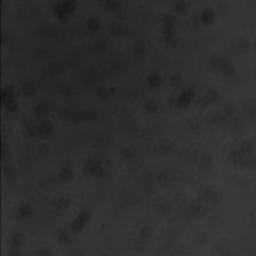
Subtracting this image from every frame of the original video, creates a new video, in which the cells can be seen more clearly (though there are a few artefacts in regions with slow-moving cells):
Comments 3
Leave a comment
Comments are moderated and will appear after approval.
i made a time series avi vidoe to view live hct 116 cancer cells , but the video was green or blue with same color as the laser that i used.
so if u plz can help me to solve this problem
I recently tried to video the shadow band phenomena seen during a total solar eclipse(an intereference pattern seen on white areas on the ground consisting of moving dark bands). Enhancing the contrast didnt work but I am pleased to say your method worked marvellously well. It eliminated the structure in my white static background (a white cloth on the ground) and one can clearly see the moving bands. This may be the first time this has been done using microscopy techniques.
Thanks for the macro! (and introducing me to ImageJ)
Ken harrison
Thank you so much! It works so well. I am impressed